What is an AI kit, and how is it different from a prompt pack?
You have seen prompt packs, spreadsheet templates and notes templates. An AI kit is a different thing: a complete system in one zip that sets itself up in your own Claude and keeps working after the first day.
The short answer
An AI kit is a folder of files that turns Claude into one specific tool, such as a budget tracker or a family week planner. You unzip it, open the Claude desktop app in that folder and type one line: Read Ownkit/START.md and follow it. Claude asks a few questions and builds the system in your folder.
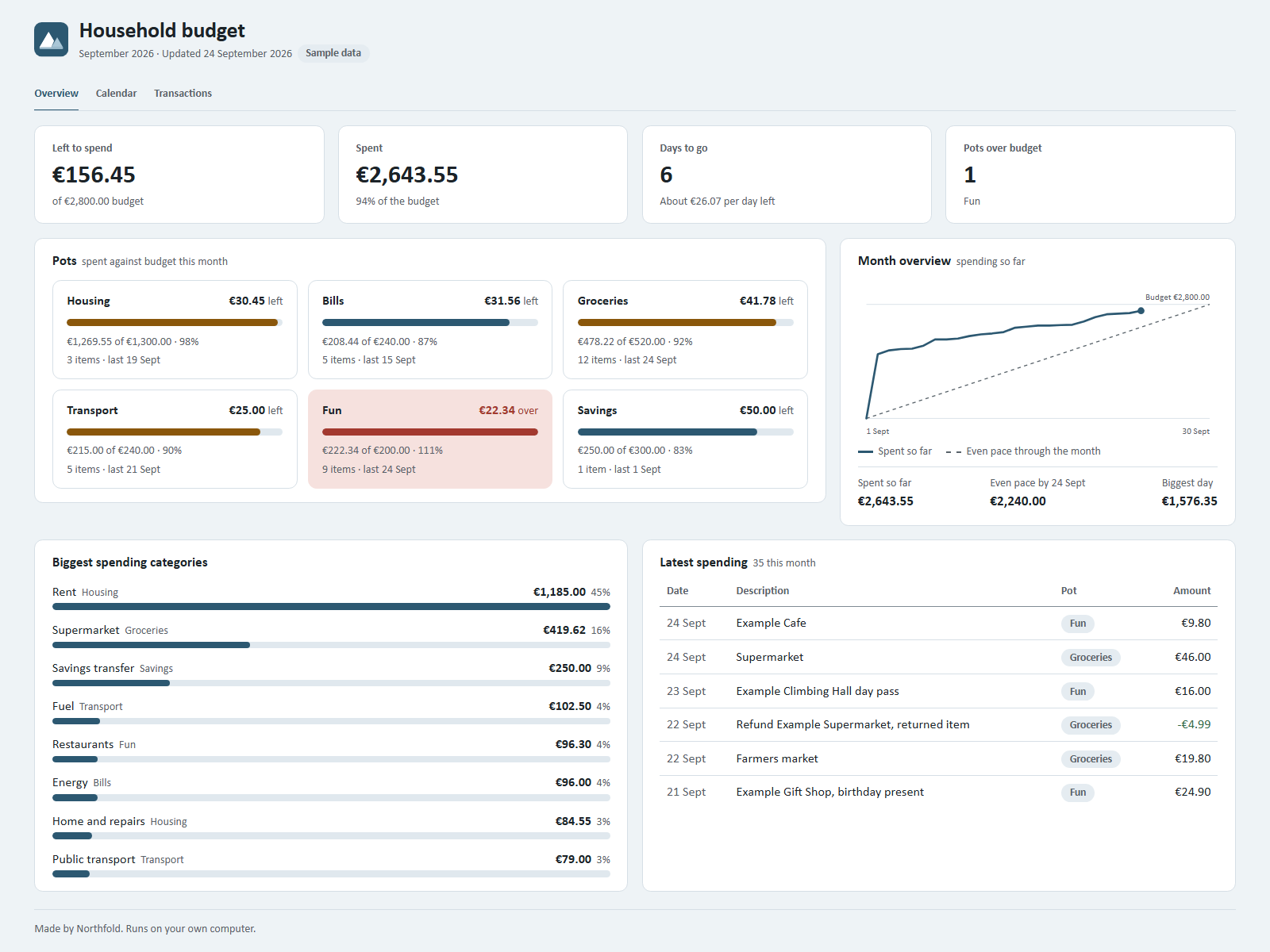
After that you use it by talking. You type "Just spent 46 at the supermarket" and the dashboard shows what is left in your groceries pot. The files stay in your folder, so the next time you open it, everything is still there.
What a prompt pack gives you
A prompt pack is a list of instructions you copy and paste into a chat. Some are very good. But each prompt is a single request. You paste it, you get an answer, and the next day you start again.
A prompt pack does not keep your data anywhere. If you want a running total, a history or a list that grows, you keep that yourself, often by pasting old answers back in.
What a template gives you
A template gives you structure: columns in a spreadsheet, pages in a notes app. That helps. The work of filling it in and keeping it up to date is still yours. You type every row, you fix every formula and you have to remember to look at it.
What is inside a kit
A kit combines both and adds the parts that let it run on its own. Every kit on Ownkit follows the same format.
A setup script
The file Ownkit/START.md is written for Claude, not for you. It tells Claude to ask at most five short questions, one at a time, and then to create your files. It keeps track of its progress, so if you get interrupted you type "continue" and it picks up again.
A rules file
The kit puts a CLAUDE.md file in your folder with the rules for daily use. Anthropic's documentation says Claude Code loads CLAUDE.md files at the start of every session (How Claude remembers your project). That is how your system keeps working the same way each time you open it.
Skills
Most kits include one to three skills. A skill is a SKILL.md file with instructions for one task, such as "log spending" or "import a bank CSV". Claude uses a skill when your request matches its description, or when you call it by name (Skills in Claude Code).
A dashboard and your data
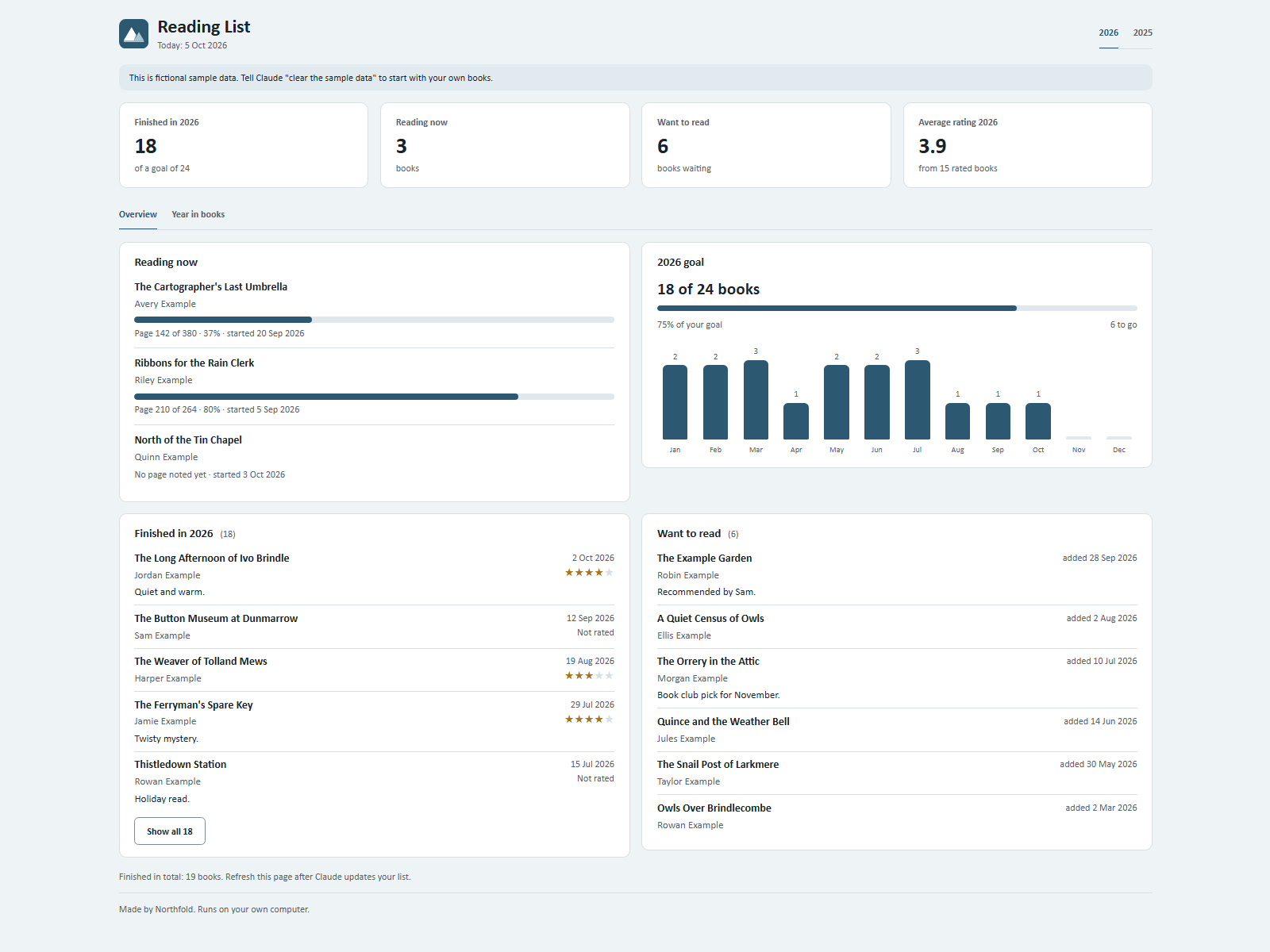
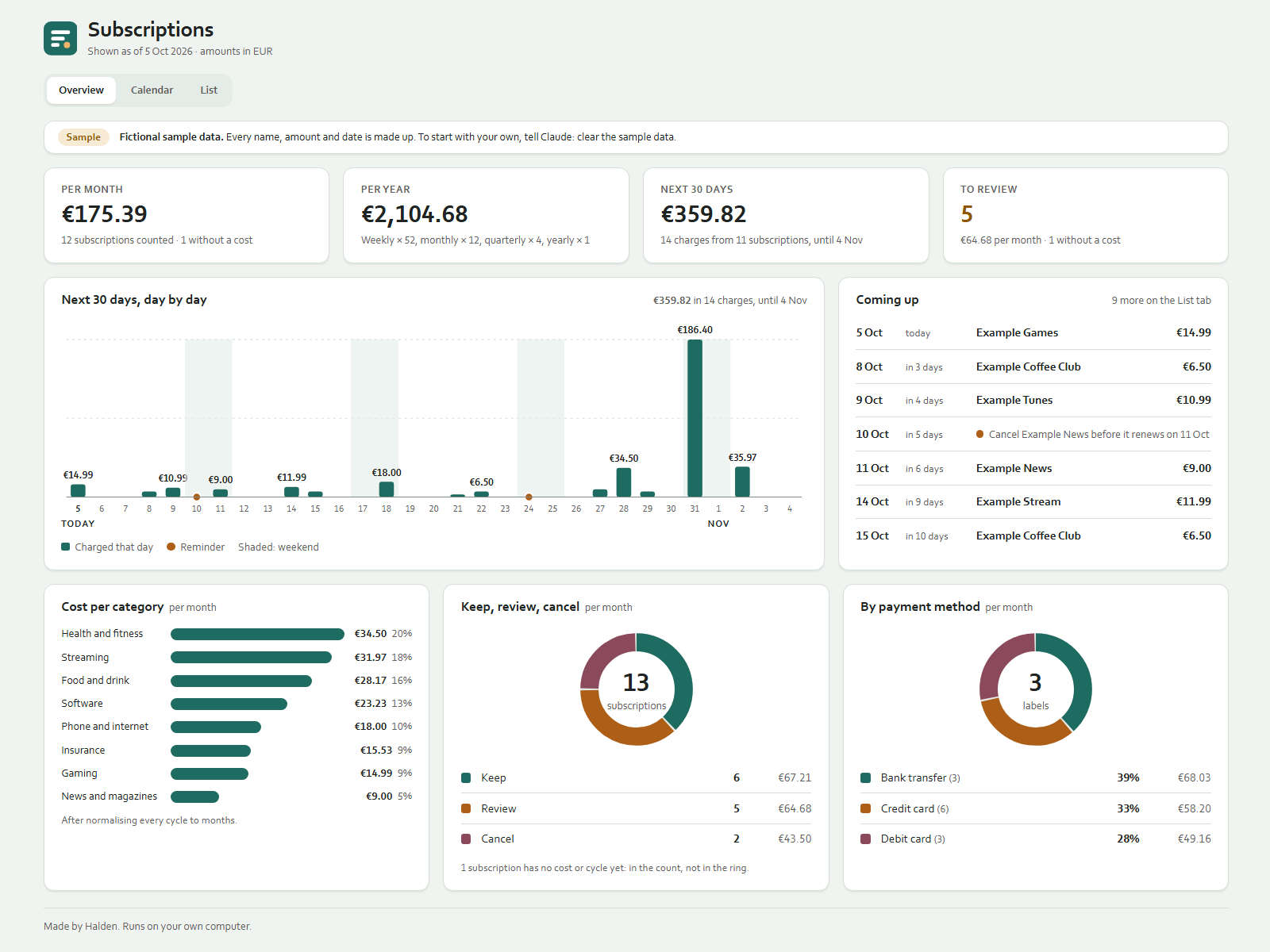
Kits that show information come with a dashboard: one HTML file that opens in your browser without an internet connection. Your data sits next to it in plain .json or .csv files. When Claude updates the data, you refresh the page.
Sample data and a guide
Each kit ships with fictional sample data, so you can see the dashboard filled in before you add your own, plus a one-page guide. To start fresh, you tell Claude to clear the sample data.
Kit, prompt pack or template: side by side
| Prompt pack | Template | Ownkit kit | |
|---|---|---|---|
| What you get | Instructions to paste | An empty structure | A working system in your folder |
| Keeps your data | No | Yes, if you fill it in | Yes, in files in your folder |
| Updates when you talk to it | No | No | Yes |
| Sets itself up | No | No | Yes, through START.md |
| Dashboard opens offline | No dashboard | Depends on the tool | Yes |
What you need to run a kit
- The Claude desktop app. Kits run in its Code tab, which works with the files in a folder on your computer (Get started with the desktop app).
- A paid Claude plan. The pricing page lists Claude Code as not included in the Free plan (Claude plans). Every kit page says what it needs before you buy.
- A web browser to open the dashboard.
- An Ownkit account, which is free, to download any kit.
A few kits can use Node.js, which is free, for a small helper script. It is optional, and the kit page says what happens without it.
An example: Budget Tracker
The Budget Tracker kit shows each budget pot as spent against budget. You log spending by typing one sentence. You can drop a bank CSV export into the folder and Claude sorts it into pots after you approve. A new month takes one sentence, and your history is kept. It costs €8.99, one time.
Other kits work the same way for other jobs: Meal Planner turns the week's dinners into one shopping list, and Clients & Quotes turns client emails into quotes you track.
Try one without paying
If you want to see how a kit installs before you buy one, start with Reading List. It is free with an Ownkit account. It keeps want-to-read, reading-now and finished lists, with a progress bar per book and an optional yearly goal. The steps are in our guide on how to install a kit in the Claude desktop app.
Sources
- Get started with the desktop app, Claude Code Docs, Anthropic. Read on 5 October 2026.
- Plans and pricing, Claude, Anthropic. Read on 5 October 2026.
- How Claude remembers your project, Claude Code Docs, Anthropic. Read on 5 October 2026.
- Skills in Claude Code, Claude Code Docs, Anthropic. Read on 5 October 2026.