Home Maintenance Planner guide
This is the guide that comes with the kit, in full. It shows how to set up a home maintenance schedule in your own AI app and what you can ask it every day.
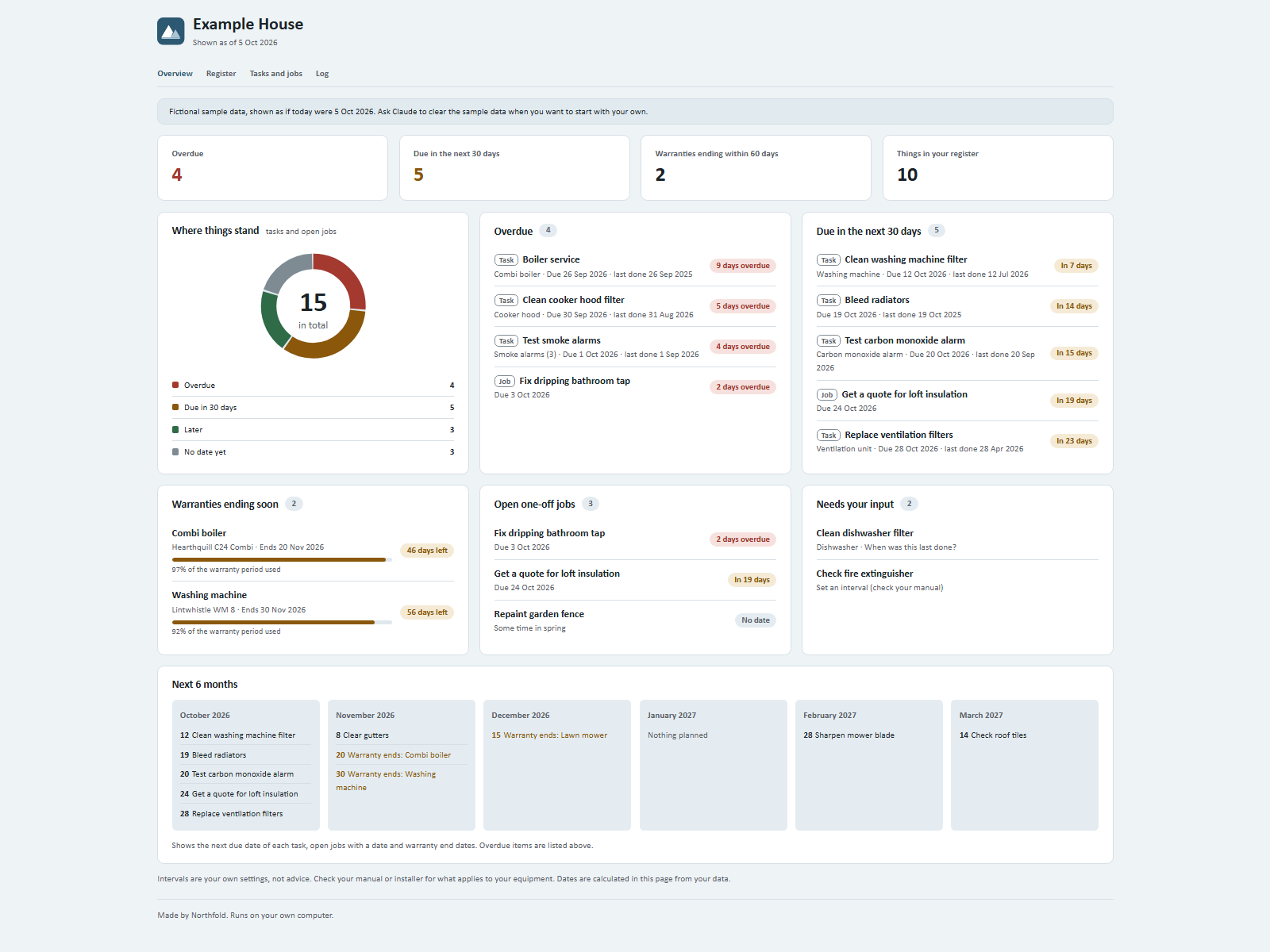
This kit keeps track of what your home needs: the appliances and installations you have, the maintenance you want to do on a schedule you choose, and one-off jobs. You tell Claude what happened; Claude updates your data and your dashboard.
On your phone or in a chat app
Start a new chat in your AI app (ChatGPT, Gemini, Grok or Claude), attach the kit zip and press send. Your AI asks the setup questions and gives you your dashboard as a web page to open in your browser. Type save when you are done and keep the save file: next time, start a new chat, attach the zip and that file. Everything below about folders and files is for the Claude desktop app on a computer.
Setting up
- Unpack the zip into a folder of your choice (for example a new folder called Home).
- Open the Claude desktop app, choose the Code tab or Cowork, and select that folder as the working folder.
- Type:
Read Ownkit/START.md and follow it. - Answer up to five short questions. You can skip any of them.
Every day use
Just say what happened, in your own words:
- "Had the boiler serviced today."
- "We bought a new dishwasher, 2 year warranty. Manual is in the kitchen drawer."
- "Remind me to clean the cooker hood filter every 2 months. I did it today."
- "Add a job: fix the dripping bathroom tap, before Friday."
- "The tap is fixed."
- "What is overdue?" or "Which warranties end soon?"
Claude stores it, works out the next due date and tells you the date it used. Refresh the dashboard to see the change.
The dashboard
Double-click dashboard.html. It opens in your web browser and works without internet.
- Overview: how many things are overdue, due soon (30 days by default) and which warranties end soon (60 days by default), plus your open jobs, tasks that still need an interval or a last-done date, and a 6-month view.
- Register: every appliance and installation with brand, model, purchase date, warranty status and where the manual is.
- Tasks and jobs: every recurring task with its interval, last done and next due date; open and finished jobs.
- Log: what you told Claude, newest first.
All counts and dates are calculated by the page from your data file, data/home.json.
About intervals
How often to service, test or clean something depends on your equipment. This kit does not tell you. You set each interval yourself; check your manual, the manufacturer, your installer or your local fire service. Tasks without an interval appear under "Needs your input".
How dates are worked out
Next due = last done + your interval. For months and years the day of the month stays the same; if that day does not exist (31 August + 1 month), the last day of the month is used (30 September).
Sample data
If you loaded the sample, you see a fictional household shown as of 5 Oct 2026. Say "clear the sample data" to go back to your own.
Good to know
- Claude never sends, books or pays anything, and never asks for passwords or bank details.
- Your data stays in your folder:
data/home.jsonand the copy insidedashboard.html. - Change the warning windows any time: "Warn me 90 days before a warranty ends."