- Home
- Meal Planner
- Guide
Meal Planner guide
This is the guide that comes with the kit, in full. It shows how to set up a weekly dinner planner with one shopping list in your own AI app and what you can ask it every day.
Meal Planner plans your week's dinners from your own recipes and writes one shopping list. You talk to Claude in plain sentences; Claude updates the files and the dashboard.
On your phone or in a chat app
Start a new chat in your AI app (ChatGPT, Gemini, Grok or Claude), attach the kit zip and press send. Your AI asks the setup questions and gives you your dashboard as a web page to open in your browser. Type save when you are done and keep the save file: next time, start a new chat, attach the zip and that file. Everything below about folders and files is for the Claude desktop app on a computer.
Setting up
- Unpack the zip into a folder of its own.
- Open the Claude desktop app (Code tab or Cowork) and choose that folder as the working folder.
- Type:
Read Ownkit/START.md and follow it. - Answer 5 short questions: people, allergens, dislikes and dietary needs, weeknight cooking time, store sections.
Claude can load a fictional example week first so you see a filled dashboard. Say "clear the sample data" to remove it.
Using it
| You say | Claude does | |---|---| | "Save this recipe: ..." (paste or describe it) | asks how many servings it makes if needed, stores the ingredients per serving, shows it back | | "I have 1 kg rice, 6 eggs. We always have olive oil." | updates the pantry; "always" items never go on the list | | "Plan five dinners, max 30 minutes." | picks from your recipes, skips allergens, dislikes and long recipes, proposes a menu, asks before adding any new recipe | | "Thursday we're five." / "Swap Wednesday." | changes servings or the dinner, and rebuilds the list | | "Add milk to the list." | adds an extra item to this week's list | | "We're out of eggs." | removes eggs from the pantry |
The dashboard
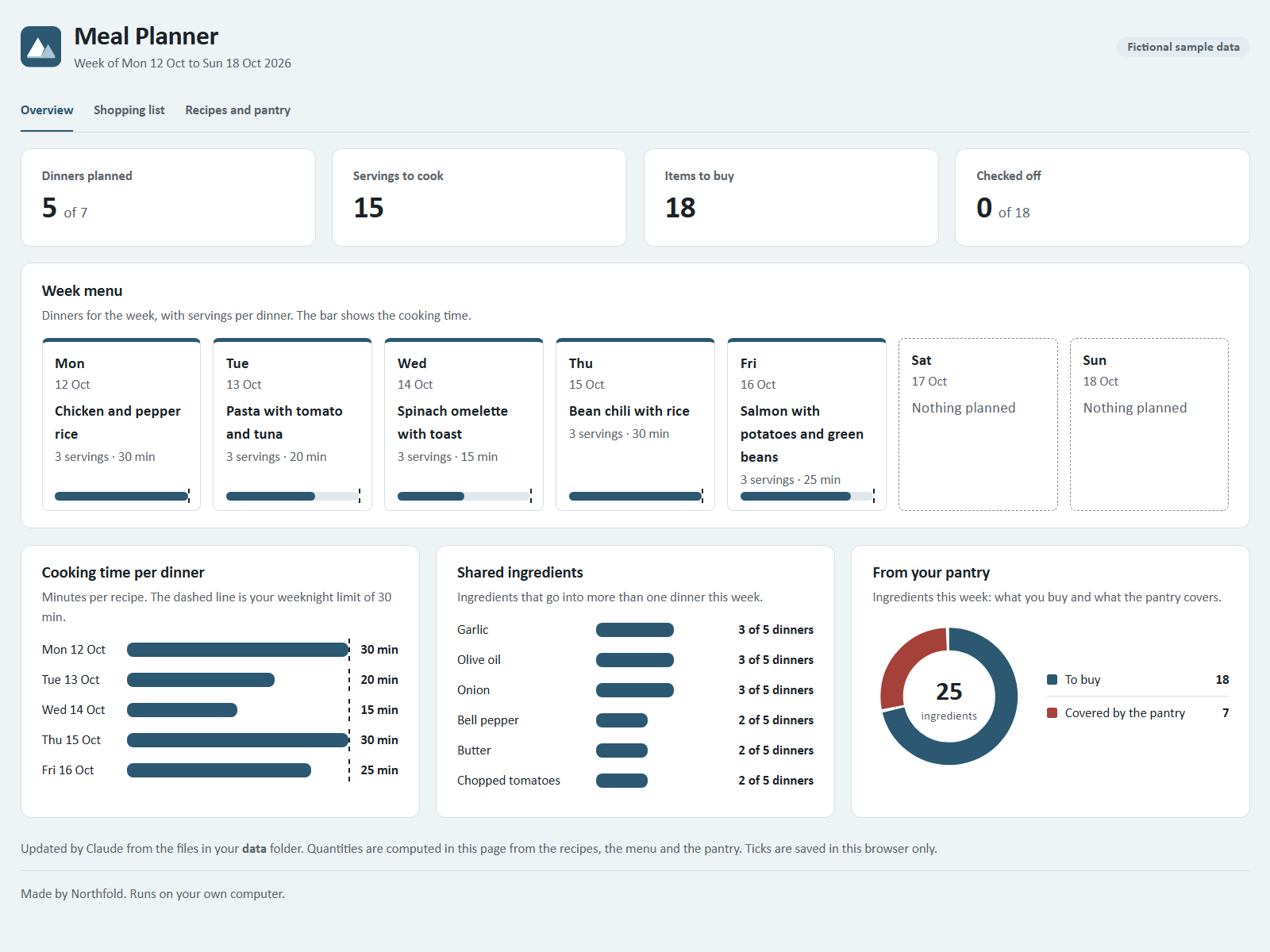
Double-click dashboard.html. It works offline and shows:
- Week menu: seven days with recipe, minutes and servings.
- Shopping list: grouped by your store sections, with checkboxes. Ticks are saved in that browser.
- Pantry and Household settings.
- Recipe collection, with flags for allergens, dislikes and recipes over your weeknight time.
Refresh the page after Claude makes a change.
How the list is worked out
Each ingredient's quantity per serving is multiplied by the servings on the menu, the same item is added up across all dinners, the pantry amount is subtracted and what is left is rounded up to a whole unit. Example from the sample week (3 servings per dinner): onion appears in three dinners at 0.5 per serving, so 4.5 onions are needed; with 2 in the pantry the list says 3.
The page computes this itself from your data. If Claude can run Node.js on your computer, it uses the two included helper scripts for the same sums; if not, it writes the working out in the chat.
Good to know
- Allergies: flags only match ingredient names you saved. They cannot tell whether a product is free of an allergen. Always check the labels.
- No calories, nutrition values or health advice: this kit plans meals and quantities only.
- Claude never orders, pays for or sends anything. It writes the list; you do the shopping.
- Your data stays in the
data/folder on your computer.