- Home
- Wedding Planner
- Guide
Wedding Planner guide
This is the guide that comes with the kit, in full. It shows how to set up a wedding planner for guests, budget and tasks in your own AI app and what you can ask it every day.
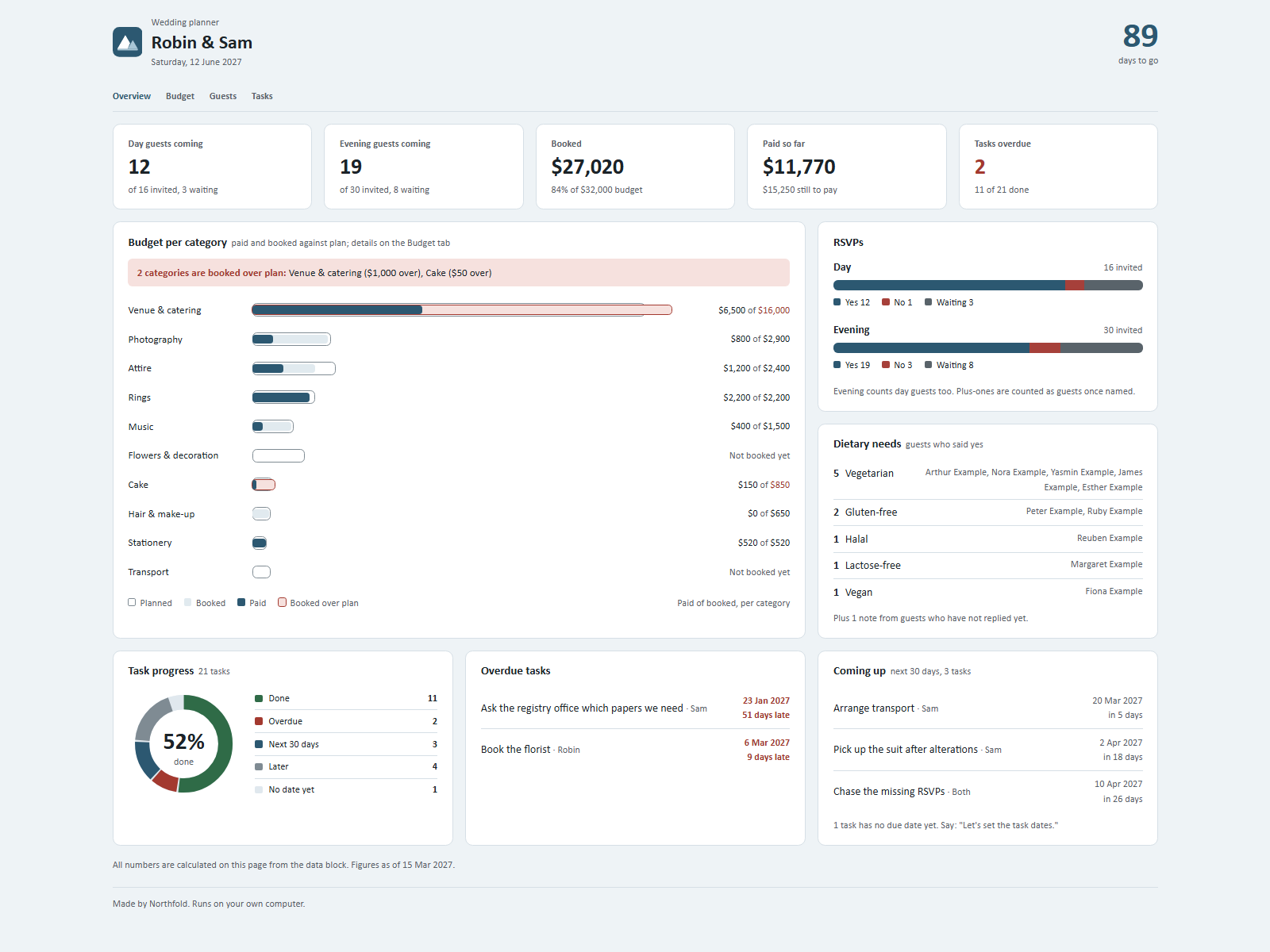
One dashboard for the whole wedding: guests and RSVPs, dietary needs, budget, payments and tasks. You keep it up to date by talking to Claude in plain sentences.
On your phone or in a chat app
Start a new chat in your AI app (ChatGPT, Gemini, Grok or Claude), attach the kit zip and press send. Your AI asks the setup questions and gives you your dashboard as a web page to open in your browser. Type save when you are done and keep the save file: next time, start a new chat, attach the zip and that file. Everything below about folders and files is for the Claude desktop app on a computer.
Getting started
- Unpack the zip into a folder, for example
Our wedding. - Open the Claude desktop app (Code tab or Cowork) and choose that folder as the working folder.
- Type:
Read Ownkit/START.md and follow it. - Answer 5 short questions: your names (for the title), the date, the budget and currency, whether you want the starter task list, and whether you want to see sample data first.
Then double-click dashboard.html. It opens in your browser and works offline. Refresh the page after a change.
What the dashboard shows
- Days to go until the wedding.
- RSVPs for the day and the evening: yes, no and waiting. Plus-ones count once they have a row (a name or "Partner of ...").
- Dietary needs of guests who said yes, with names, plus how many notes come from guests who have not replied yet.
- Budget per category: planned, booked, paid, still to pay and unbooked. Categories booked over plan are flagged in a warning bar.
- Tasks: overdue tasks, tasks due in the next 30 days, and how many tasks still have no date.
- Tabs for the full guest list and the full task list.
Every total on the page is calculated from your data, nothing is typed in by hand.
Things you can say
- "Aunt Rose is coming with her partner."
- "Add Lucy and Simon, family, day guests."
- "Simon has a nut allergy."
- "Tom can't make it."
- "Plan $2,000 for flowers." / "We booked the florist for $1,900."
- "Paid the photographer $800 deposit today."
- "Let's set the task dates." (Claude goes through the list one task at a time.)
- "Florist is done." / "Move the seating plan to 1 May."
- "How are we doing?"
Good to know
- Task timing is yours. The starter tasks have no due dates. You set each one as a date or as a number of weeks before the wedding. Claude does not give timing rules, because they depend on your venue, suppliers and local rules.
- Paid is the sum of payments. Each payment is a row with a date, so you can always see what was paid when.
- Over plan: when the booked amount is higher than the planned amount, Claude tells you and the dashboard marks it. Your planned amount only changes when you say so.
- Evening counts include day guests by default. Say "Count only evening guests in the evening total" to change that.
- Coming up looks 30 days ahead. Say "Show tasks for the next 60 days" to change it.
- Sample data is fictional. Say "clear the sample data" to go back to your own date, budget and task list.
- Your files live in this folder:
data/wedding.jsonand the copy insidedashboard.html. The dashboard itself makes no internet connections. Back up the folder like any other files. - Claude only keeps records. It does not send messages, book suppliers or make payments.